Focus sessions
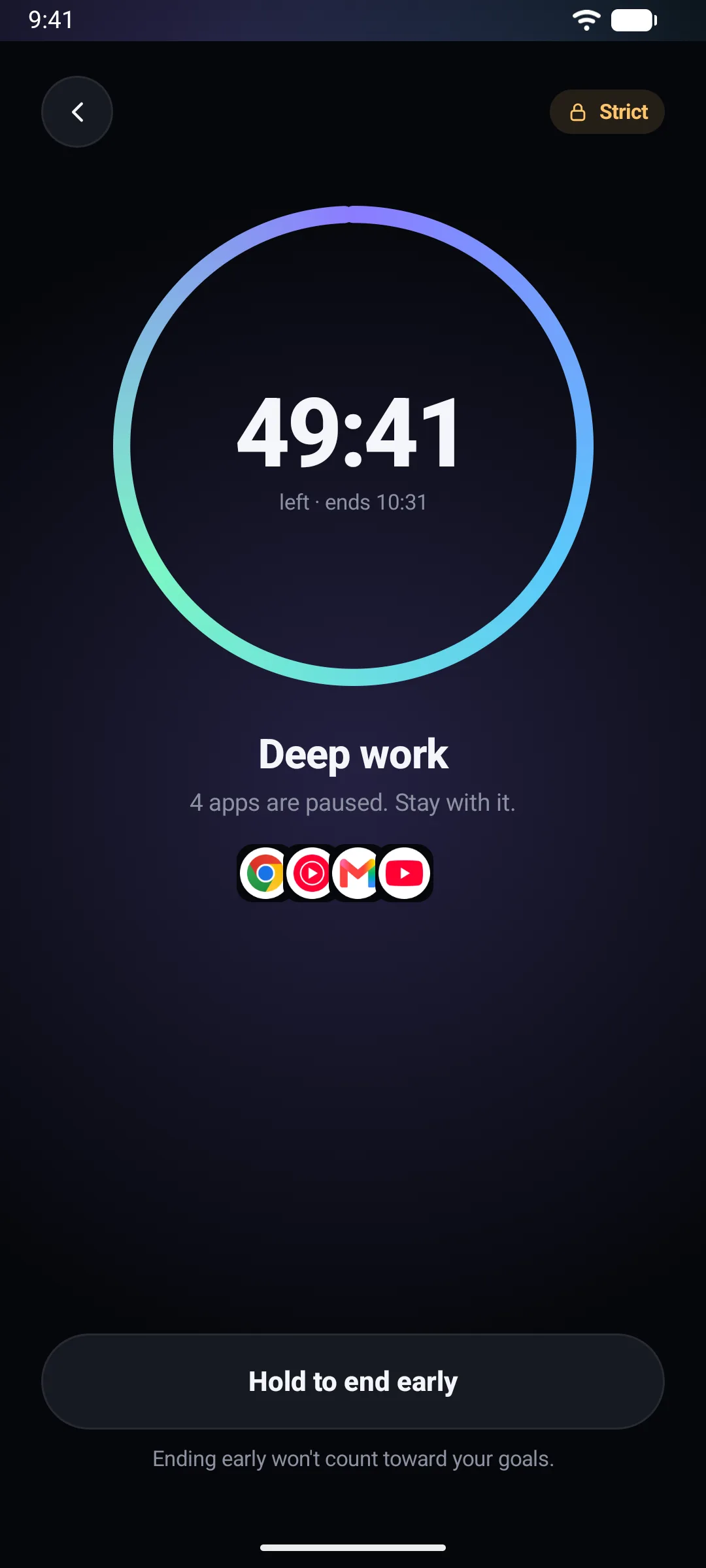
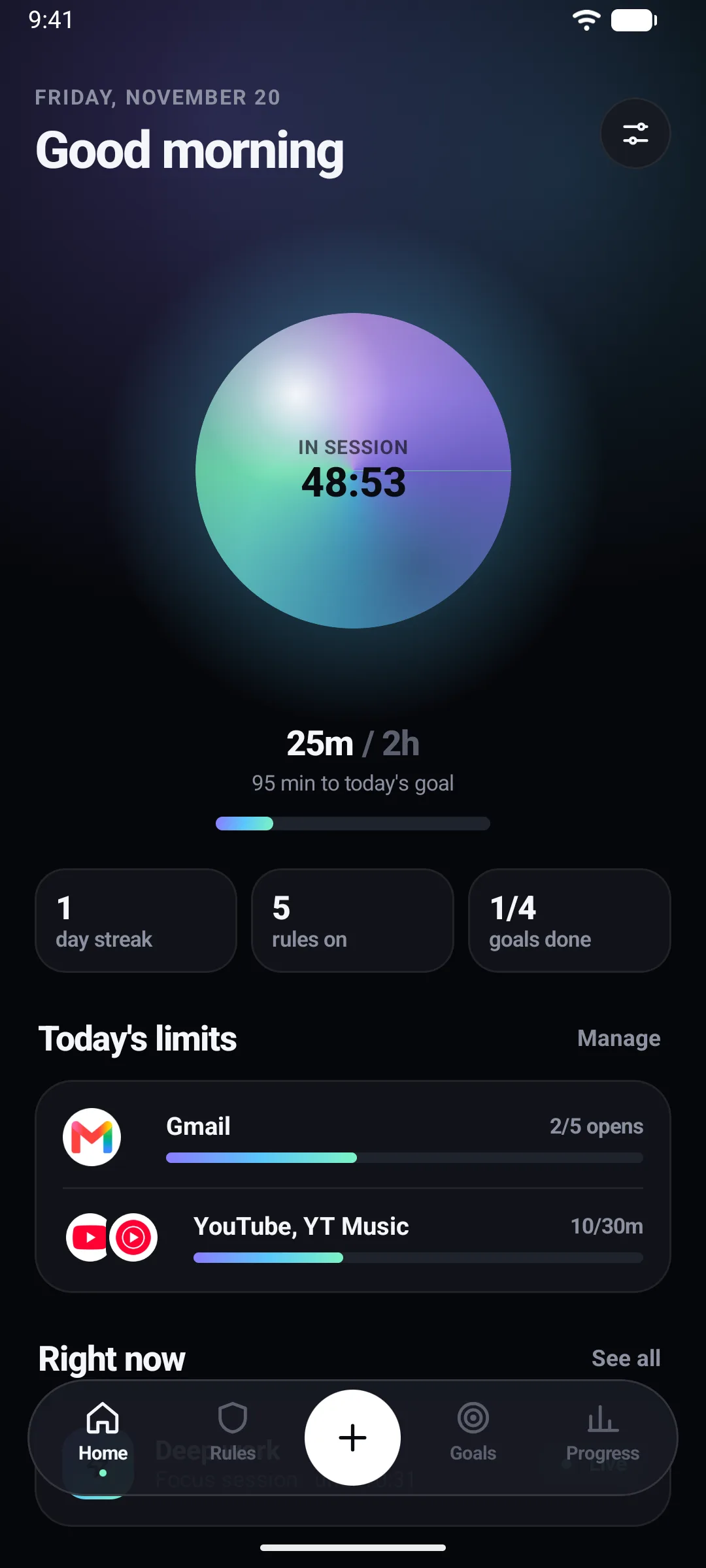
Pick the apps that pull you away, then start a 25, 50 or 90-minute session, or set your own length up to four hours.
- Strict sessions have no pause button
- Name a session and give it a purpose
- History and streaks in Progress
GrowFocus puts a short pause, a schedule or a hard lock between you and the apps that eat your day. No account, and nothing leaves your phone.
Shorts & Reels
Endless short videos are where five minutes turns into an hour. GrowFocus spots the Shorts, Reels and Spotlight feeds and puts a five-second check in front of them, while messages, search and everything else keep working.
Works with YouTube, Instagram, Facebook and Snapchat. Try the demo: it behaves just like the check in the app.
SHORTS
Watch Shorts?
Short videos are built to keep you scrolling. If you continue, Shorts stays open for 10 minutes.
Back to YouTube
The feed closes, and everything else in YouTube keeps working.
10-minute pass
Shorts stays open for 10 minutes. After that, the next visit gets the same 5-second check.
Features
Pick the apps that pull you away, then start a 25, 50 or 90-minute session, or set your own length up to four hours.
Weekly rules for the times that matter, such as phone-free nights or work hours. Block chosen apps and websites, or allow only a few.
Give apps a daily time budget (5 minutes to 12 hours) or a number of opens (1 to 50). With hard mode on, loosening a limit only takes effect tomorrow.
Block domains, or pause any page whose address contains one of up to 100 keywords, in supported browsers.
Keep an app locked until you finish a goal, such as two focus sessions or a task you confirm, then earn a timed reward pass.
Give a friend a 6-digit partner code, or use an NFC tag. Once it is set up, you need the key to end a strict session early or pause a hard-mode schedule.
If Android or a setting switches blocking off, GrowFocus notifies you and shows how long it was off, instead of failing silently.
If the Accessibility service stops, a slower backup keeps pausing blocked apps using Usage Access until it comes back.
See at a glance whether blocking is on, and open a focus session in one tap from Quick Settings or your home screen.
Inside the app
Real screenshots from the current build.
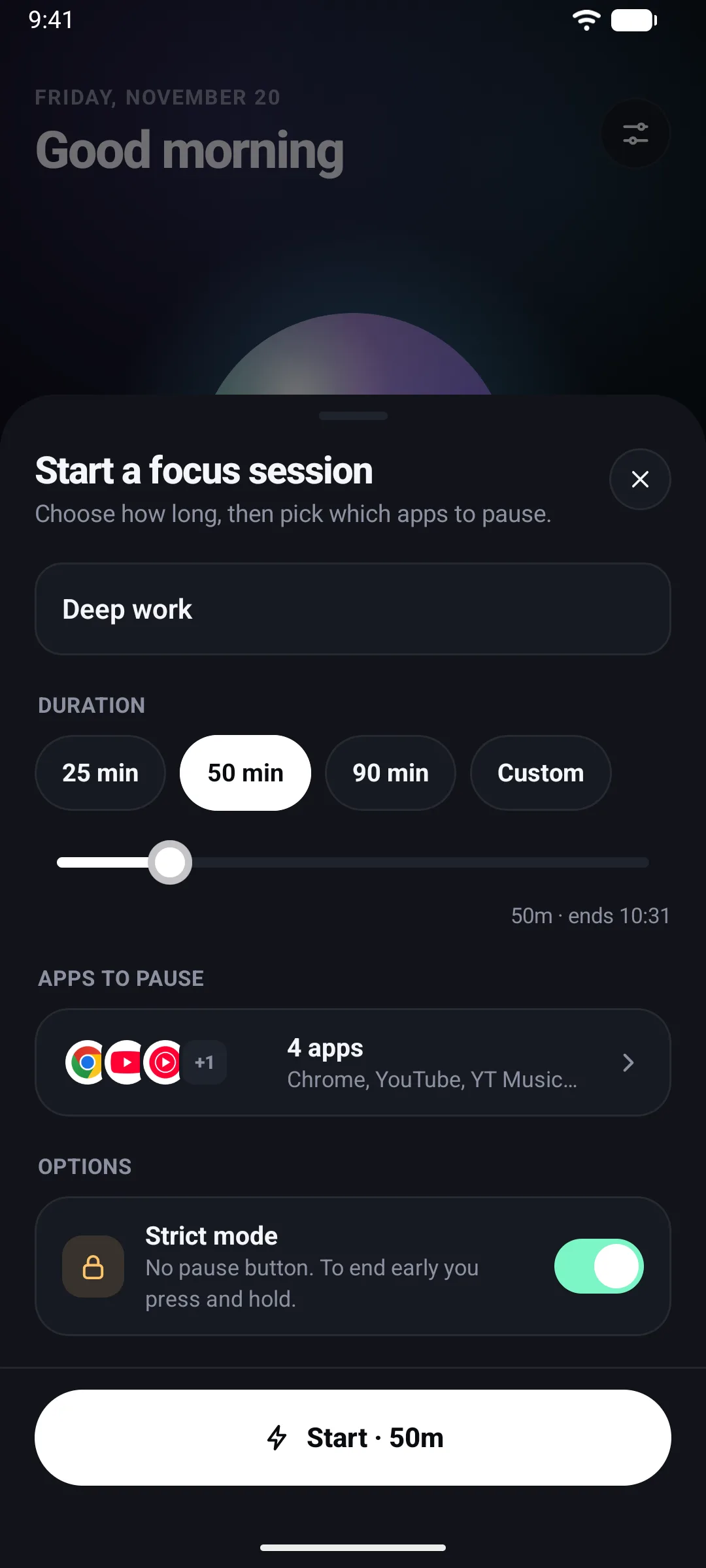
Start a session25, 50 or 90 minutes, or your own length.
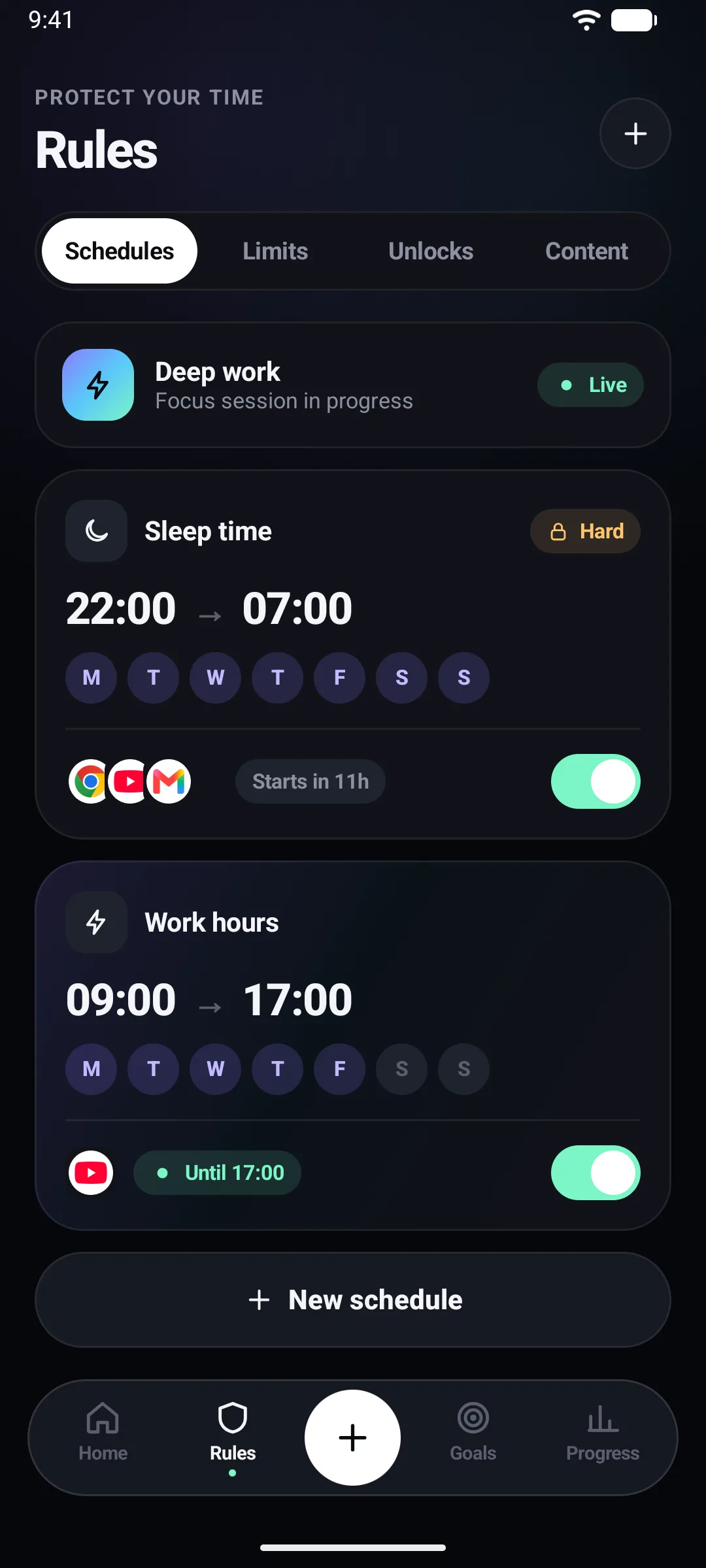
SchedulesPhone-free nights and work hours.
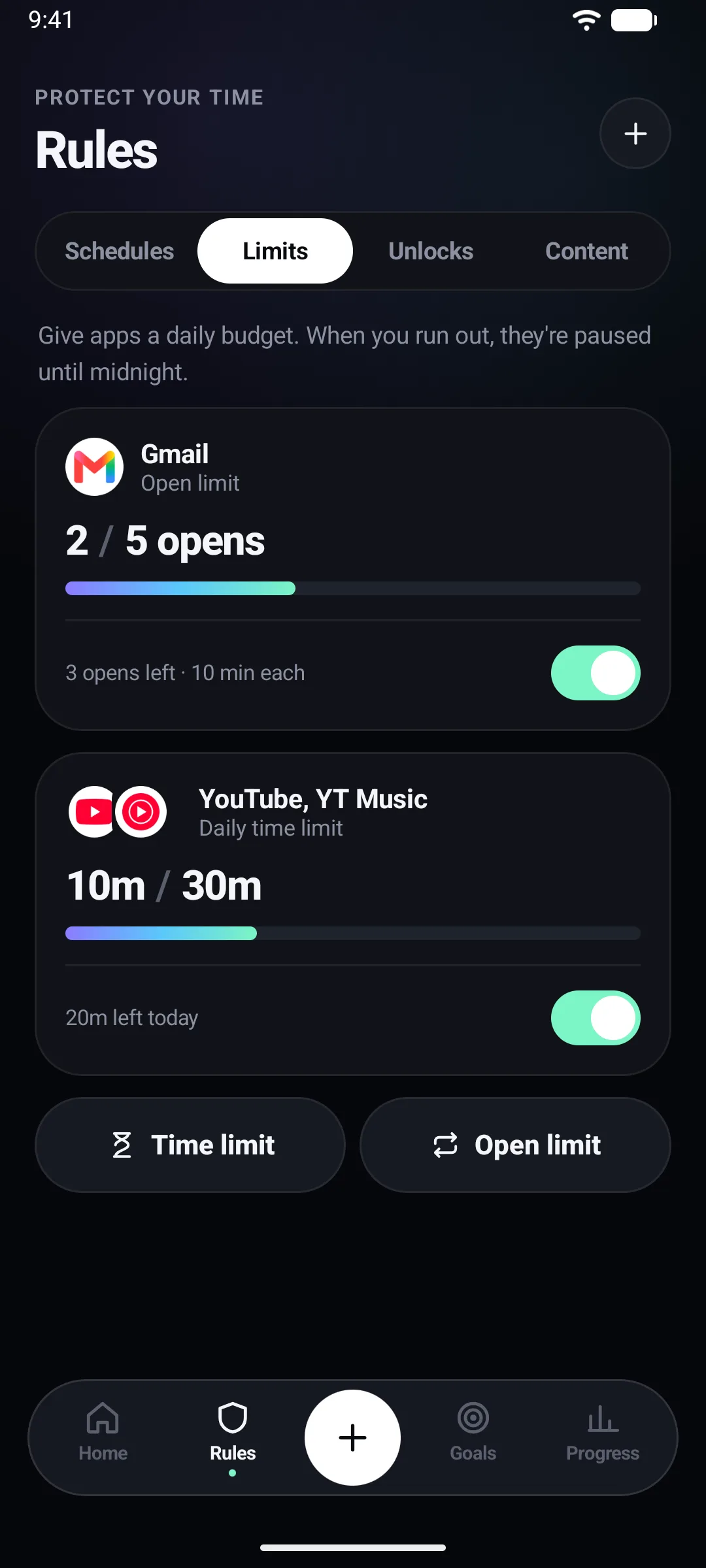
Daily limitsA budget of minutes or opens.
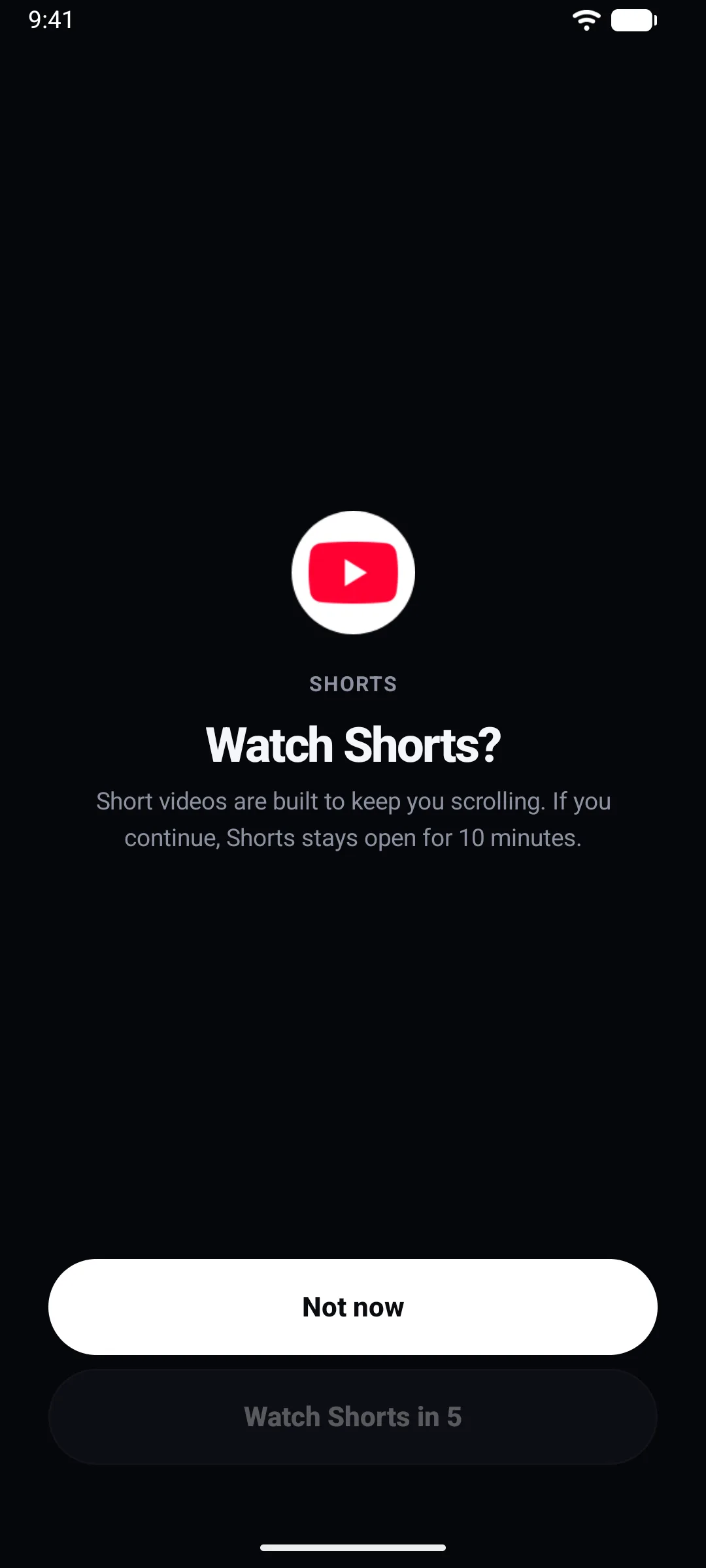
The 5-second checkShows up when a Shorts or Reels feed opens.
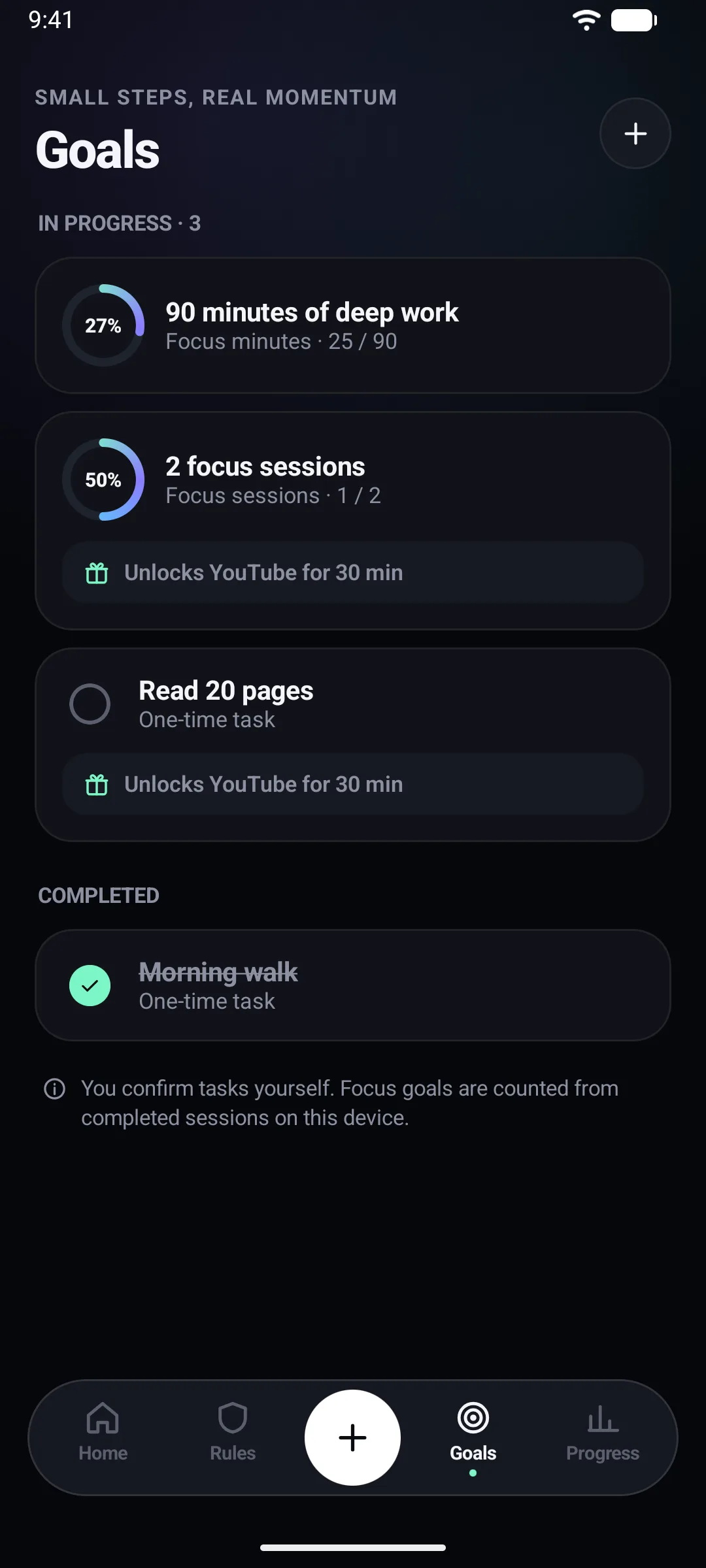
GoalsFinish a goal to unlock an app.
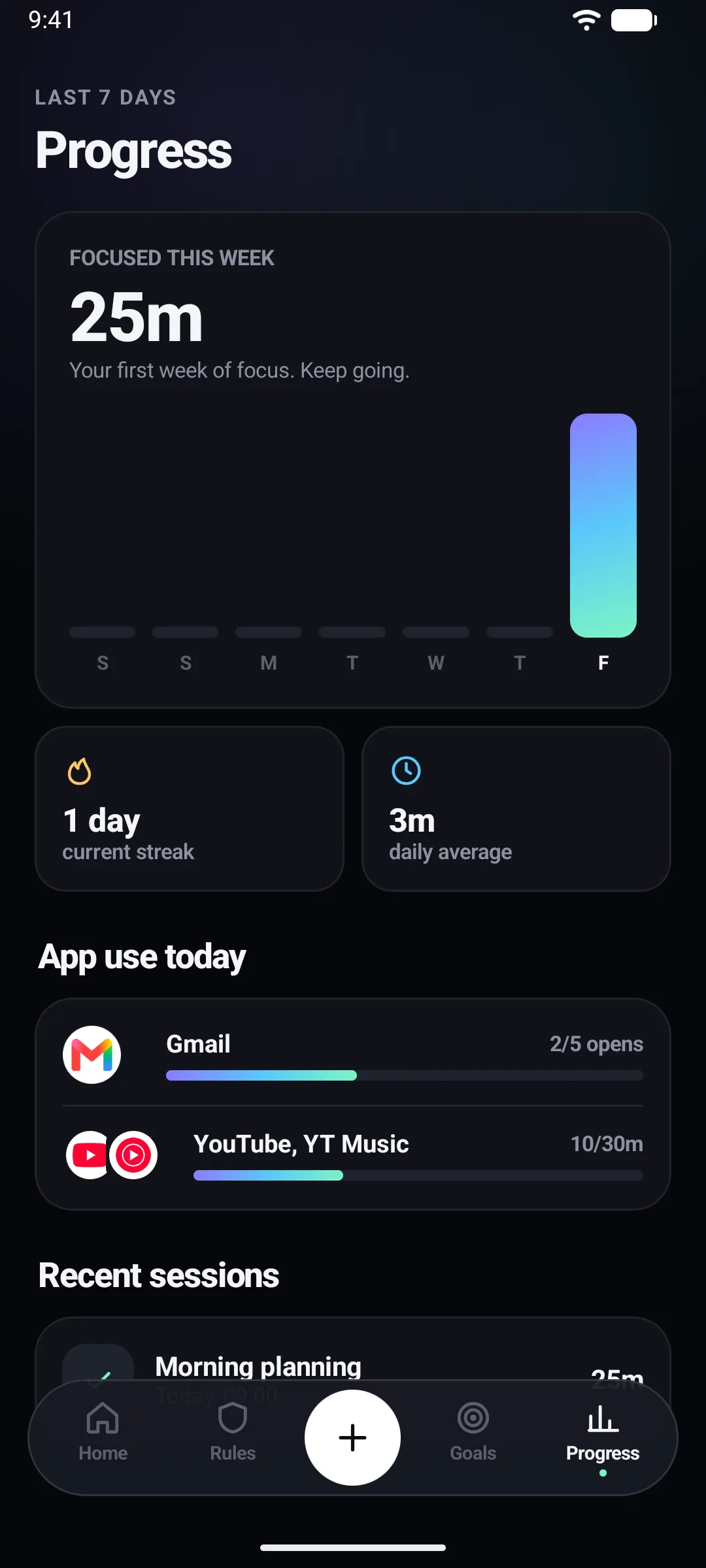
ProgressFocus time, streaks and app use.
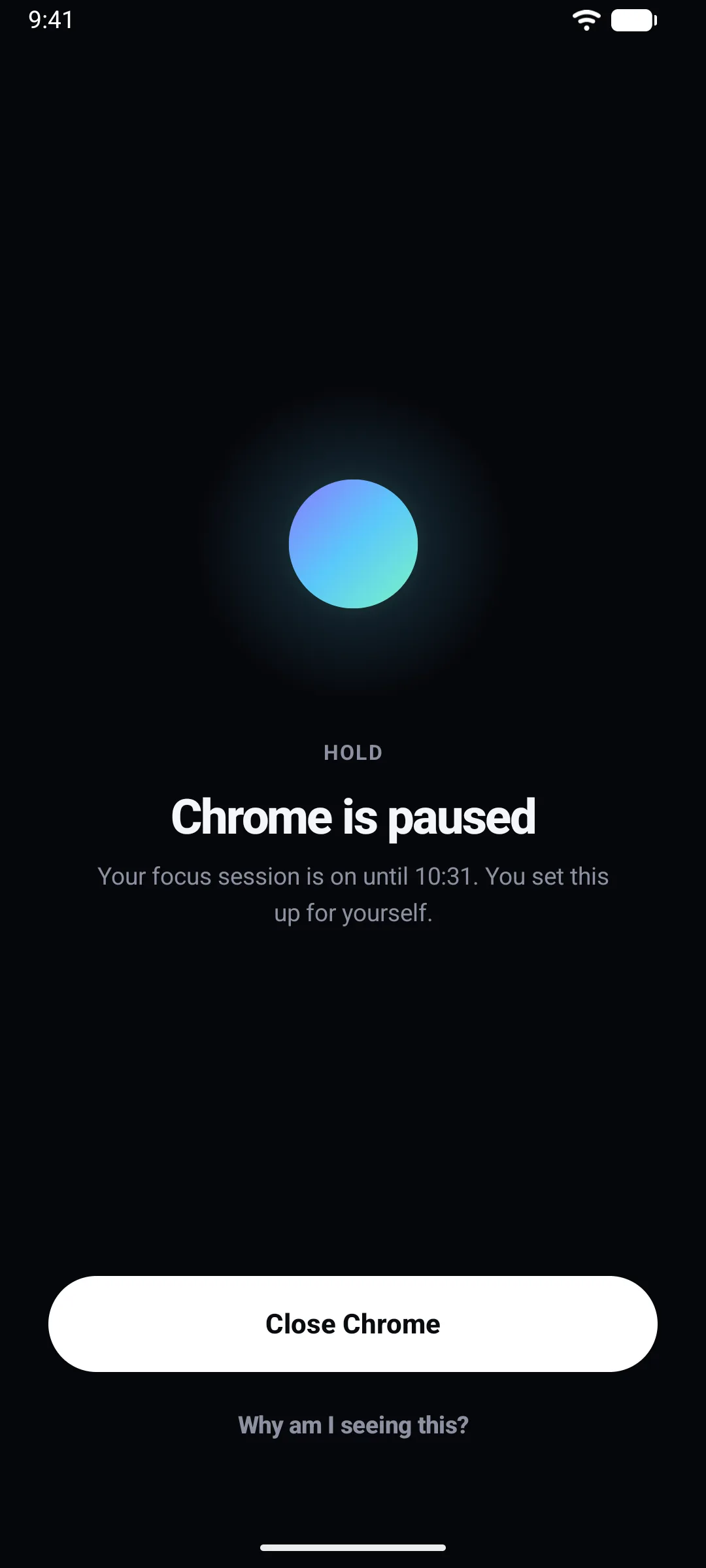
The pause screenWhat you see when you open a blocked app.
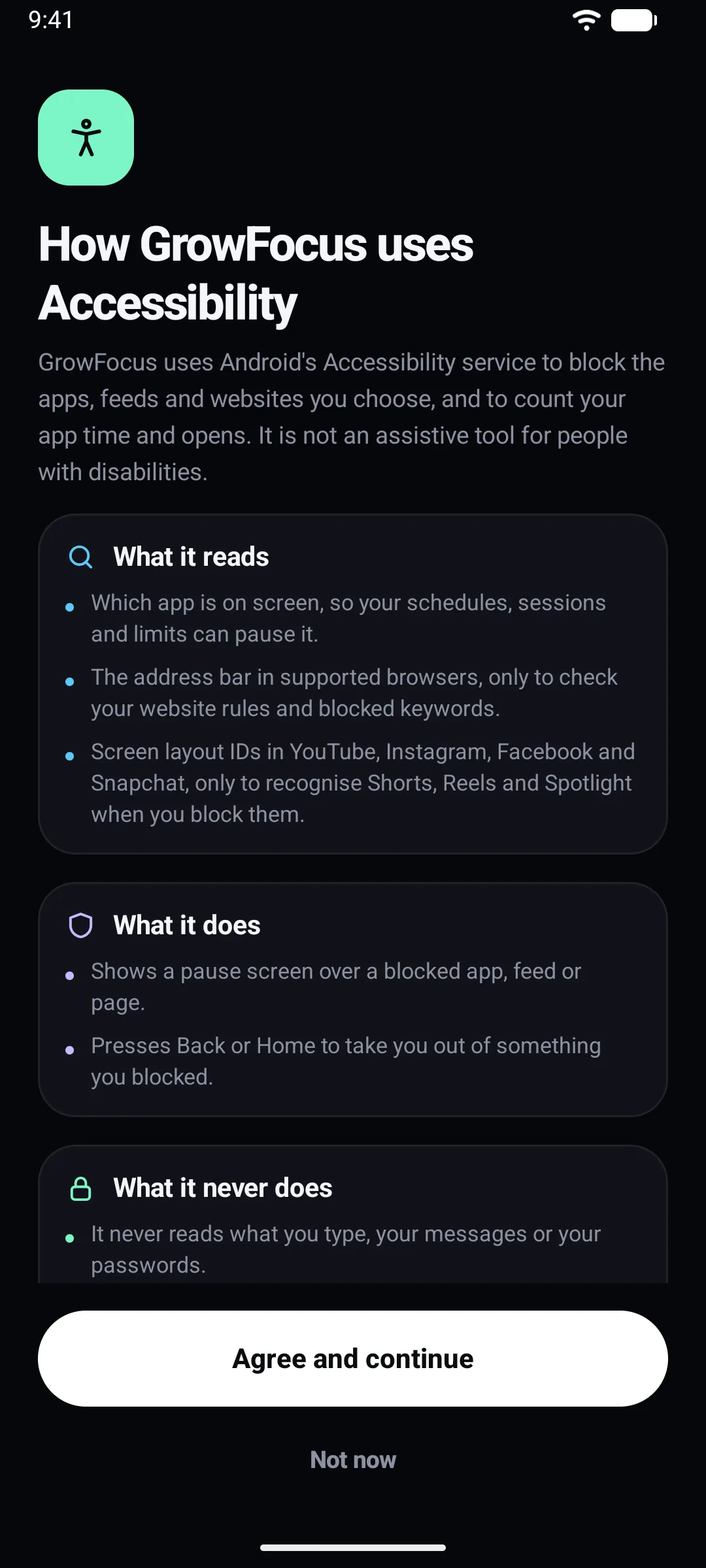
Plain-language permissionsShown before Accessibility is switched on.
Getting started
Pause Shorts and Reels, run a focus session, or set up phone-free nights. You can add more later.
GrowFocus shows you exactly what Android’s Accessibility service lets it read before it opens the setting.
A two-minute guide shows the battery settings for your phone’s maker, so Android doesn’t stop blocking in the background.
Privacy
Most focus apps ask you to trust their servers. GrowFocus doesn’t have any. It doesn’t even request Android’s internet permission, and an app’s permissions are public, so anyone can confirm there is nowhere for your data to go.
Open the app and start. There is no sign-up, email or login.
GrowFocus does not ask Android for network access, so it has no way to send anything off your phone.
No trackers, no ad SDKs, and no usage reports.
Rules, sessions, goals and history stay in local storage on the device.
Android only lets an app see what is on screen through its Accessibility service, so GrowFocus needs it to pause what you block. Before you switch it on, the app shows you this, word for word.
What it reads
What it never does
Honest about Android. No app can be an unbreakable lock on a phone you own. Switching off Accessibility, force-stopping the app or restarting in Safe Mode can stop blocking. GrowFocus makes giving in harder, and tells you whenever blocking is off.
Blocking, schedules and strict sessions are free. GrowFocus is in beta testing right now, so everything is free to try.
Soon. Google asks new apps to run a closed test with real testers before they can be published, and that is what the beta is for. Join it to get GrowFocus early, and we will post on the blog when it is live.
No. GrowFocus is built for Android and needs Android 9 or later.
Android only lets an app see which app or feed is on screen through the Accessibility service. GrowFocus uses it to notice when something you blocked opens and to pause it. It never reads what you type and never sends anything off your phone.
No. There is no account, no ads and no analytics, and the app has no internet permission. Your rules, sessions and history are stored on your phone. See the privacy policy for details.
Yes, if you really try. Switching off Accessibility, force-stopping the app or restarting in Safe Mode can stop blocking, and so can some phone makers’ battery savers. GrowFocus is built to make giving in harder, not impossible, and it tells you when blocking is off so it never fails silently.
No. GrowFocus recognises the Shorts, Reels and Spotlight feeds and pauses only those, so the rest of the app keeps working. Detection depends on each app’s screen layout, so an app update can occasionally break it until GrowFocus is updated.
English, Arabic, Bengali, French, Hindi, Indonesian, Portuguese (Brazil), Spanish, Turkish, Urdu and Vietnamese.
Blog
Why we built GrowFocus, what it does today, and how it keeps your phone harder to waste without an account, ads or an internet connection.
Beta
Before a new app can go live, Google asks for a closed test with real people. Send us the Google account you use on the Play Store and we will add you to the test.
We only use your address to add you to the test and to tell you when GrowFocus launches.